Spring DI with different styles
Spring as a dependency injection (DI) framework allows us to define our application components' dependency tree in three different ways: XML Annotation Java Config I've written a simple app, bookstore, with the three styles and they're available in the following repository. You can take a look and see how each style would look like. It also has a version that uses no Spring beans for comparison. https://github.com/ryu1kn/spring--working-with-beans Different styles have different pros/cons. Spring lets you mix the styles; so you can change it as you go. Here is my observations on each style. XML-based configuration Pros Weak/loose coupling with Spring framework in your app code. Good for keeping the option of removing Spring later Class dependency information is centralised. Fine-grained control on the dependency definition. Changing only the dependency information doesn't require the recompilation of your app code. Cons Unless you have a good IDE ...
zx
ReplyDeleteLetras Diferentes
ReplyDeleteis a simple and enjoyable tool for anyone who wants to make their text more creative and eye-catching. I like how easy it is to explore different font styles and find an option that matches the mood of my content. The interface feels clean and straightforward, so it is easy to use even for first-time visitors. I find it particularly helpful for creating social media bios, captions, usernames, comments, and personalized messages. Trying different styles is also fun because each option can give ordinary text a completely different feel. Overall, Letras Diferentes provides a smooth and convenient experience for anyone looking to add a personal touch to their text.
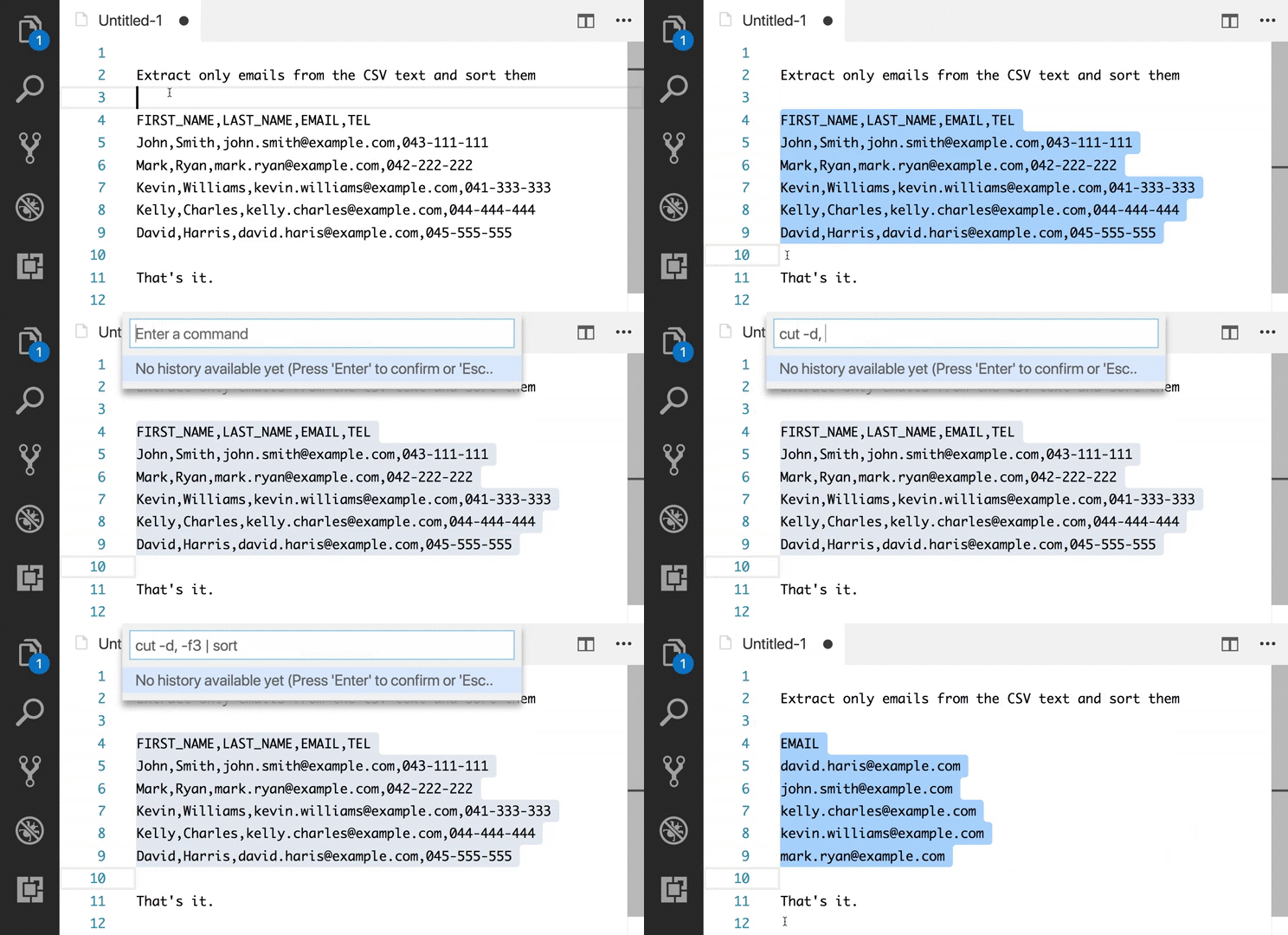
This is a useful practical tip for Visual Studio Code users who are comfortable with shell commands and want to bring some of the efficiency of vi-style text editing into their regular workflow. The example of sorting contributor data and then using cut to remove unwanted information clearly demonstrates how powerful simple command-line tools can be when combined through pipes.
ReplyDeleteThe Edit with Shell Command extension is particularly interesting because it allows developers to apply familiar shell utilities directly to selected text instead of switching between the editor and terminal. These productivity techniques can be valuable when working across different development environments, including projects built with a Dot NET Full Stack Course technology stack.
I also like the focus on using existing shell capabilities rather than introducing a completely new text-processing workflow. The ability to combine commands such as sort and cut can make repetitive editing tasks much faster, especially when working with structured text. For developers working with modern web applications, an ASP.NET Core ReactJS Full Stack Course can similarly provide a broader development context where tools such as Visual Studio Code become part of the everyday workflow.
ReplyDelete